Campaigns, in the Nuvora app
Everything behind a LinkedIn push, filed under one name.
A launch, an event, a quarter’s theme: every LinkedIn push leaves a trail of visuals, carousel slides, briefs, documents, and post texts. A campaign in Nuvora keeps them together under one name, with a short brief on top. Ask, your agents, and your next post can then read the whole set at once, instead of you pointing at files one by one.
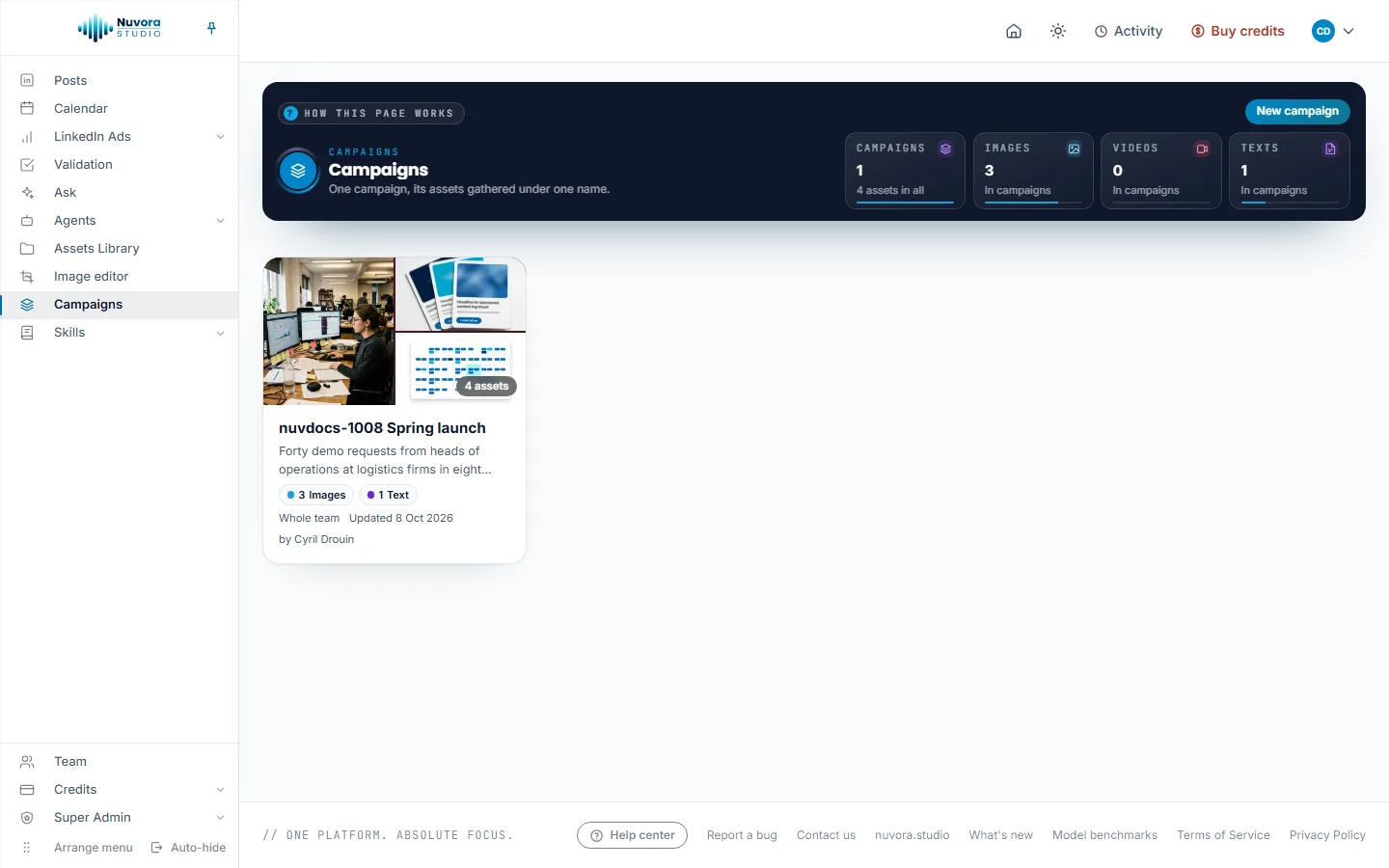
Start with a name, then bring in the material.
A campaign starts with a name and, if you want one, a brief: the goal, the audience, the key message, the dates. Then you add what the push is made of. Anything in the Assets Library can join, from the text of a post and the picture that runs with it to a visual saved in the Image editor or a file a colleague uploaded.
The brief is optional. Still, Ask and the agents read it along with the files, so a few lines there pay off in sharper answers.
What a campaign can hold
- Visuals and carousel slides
- Briefs and other documents
- The text of your posts
- Files your team uploaded
- Name
- Up to 120 characters, unique in your team
- Brief
- Optional, up to 4,000 characters
- In the menu
- Each campaign listed by name under Campaigns
- Cost
- Nothing to create, fill, or open
A campaign points at your files. It never copies them.
Files stay where they live, in the Assets Library. The campaign only records which ones belong to the push, so cleaning up a campaign can’t cost you a file.
The same product shot can sit in your spring launch and your trade show push at once. There’s no duplicate to keep in sync.
Removing a file from a campaign leaves it in the library, untouched.
Deleting a campaign deletes the campaign and nothing else. Every asset stays in the library.
A new version of a file stays in the campaign. Delete a file from the library, and it drops out of every campaign by itself.
Ask, the agents, and your posts read it as a whole.
This is where a campaign earns its keep. Each one has its own page, and three cards on it send the campaign where it’s useful: Ask about this campaign, Give it to an agent, and Write from it.
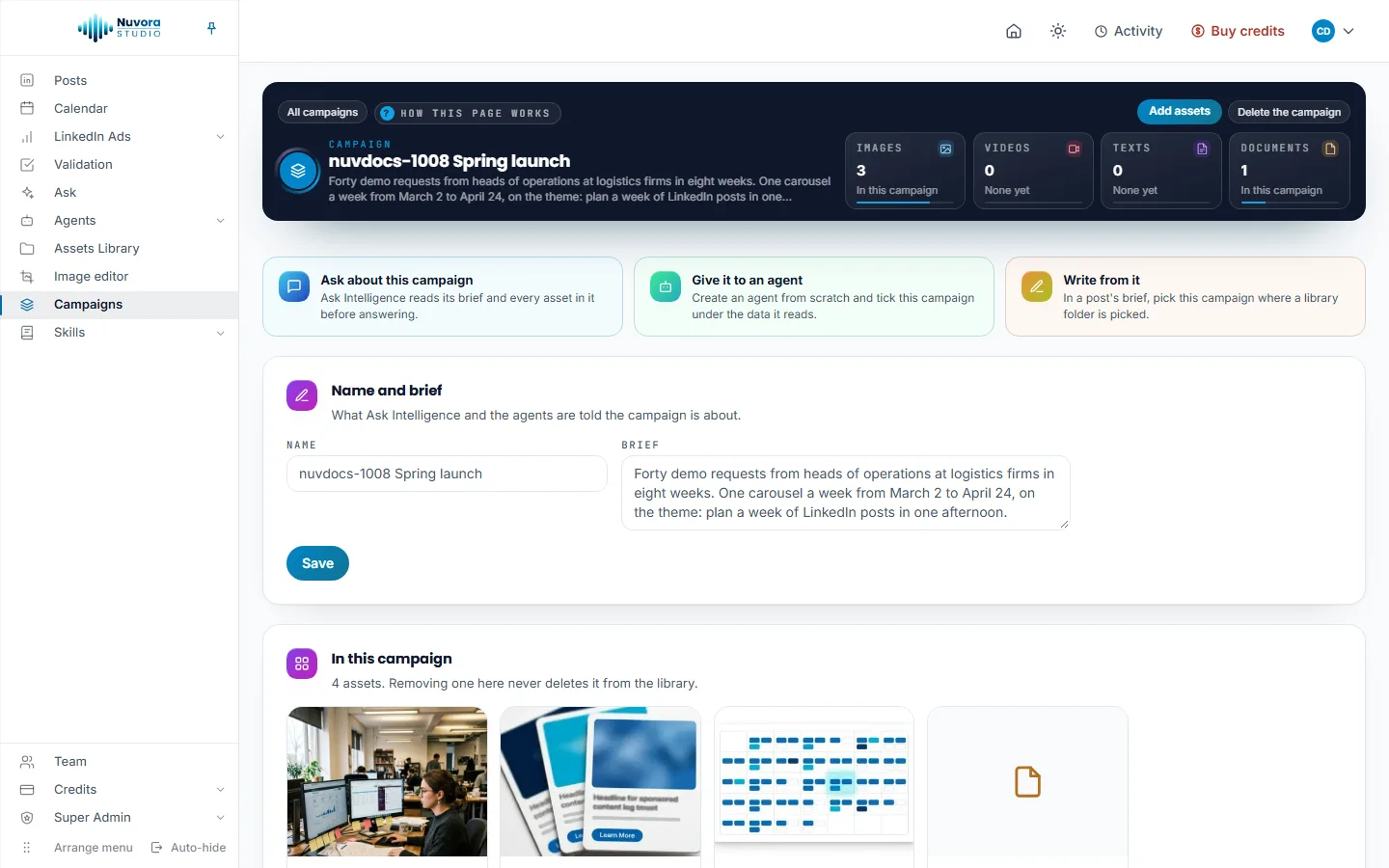
Ask
Type @ and the campaign’s name, or just name it in your question. Ask reads the brief and a list of the assets with each one’s name, type, tags, date, and the prompt behind each picture. It also reads the full text of the documents and written pieces. Campaigns has its own row under Data included, so you can leave them out of a conversation.
Agents
Create an agent from scratch and tick the campaign under From the Assets Library. On every run, the agent reads the brief, the list of assets, and the documents. If you delete the campaign, the agent simply stops reading it.
Your next post
In a post’s brief, the Context folder from the Assets Library list has a Campaigns group. Pick a campaign, and its brief, its list of assets, and the text of each document are read before the draft is written.
A question worth trying in Ask: “What does @Spring launch still lack for its last two weeks?”
New work lands in the campaign as soon as it’s made.
Nobody needs to set aside an afternoon to sort files. Work reaches a campaign from the places your team already uses.
- From the forms
The LinkedIn post form and the Assets Library upload each have a Campaign choice, set to None by default. Pick a campaign, and whatever you make or upload joins it right away. It stays in the library too.
- From the library
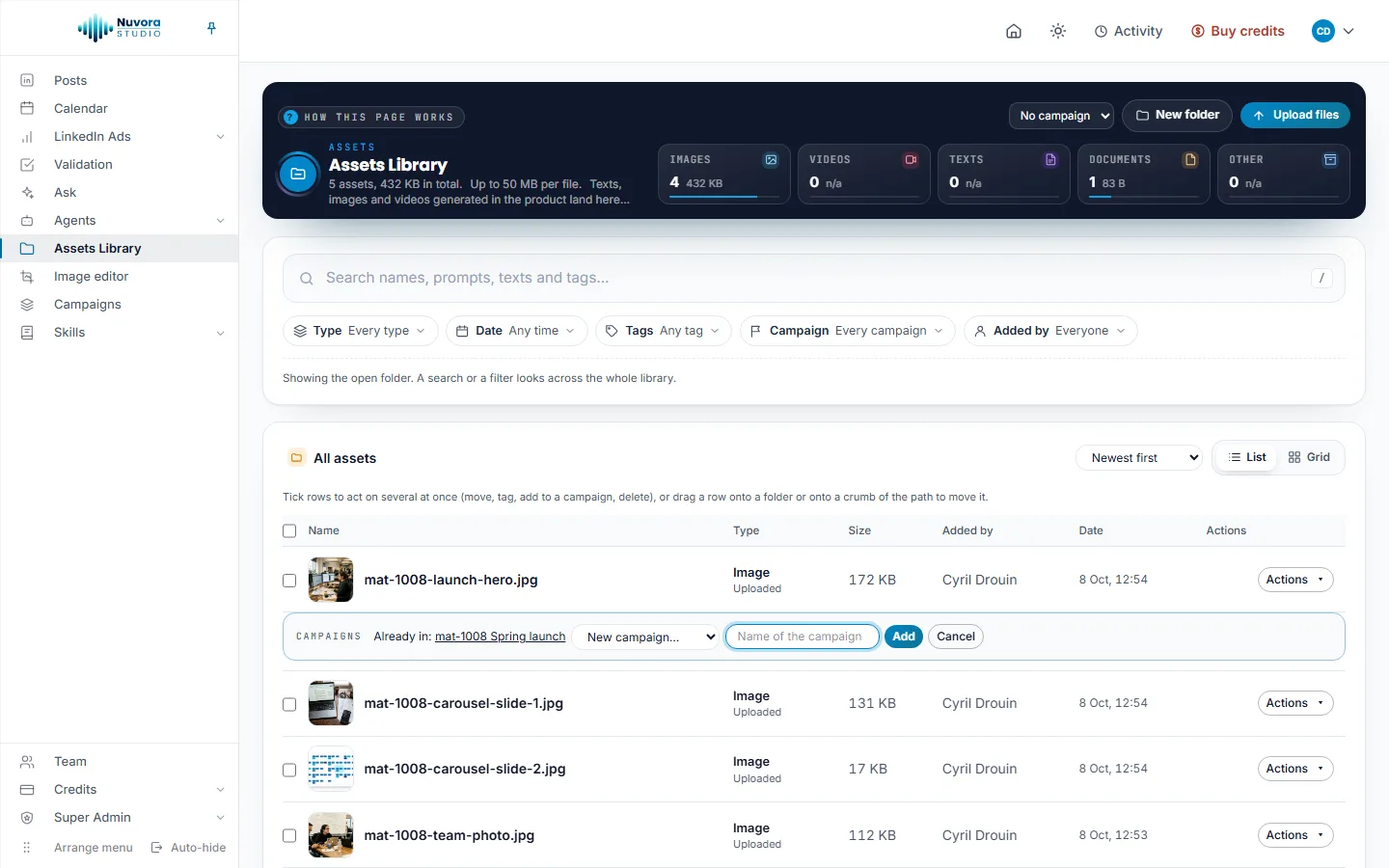
A file’s Actions menu has Add to a campaign. Tick several rows to add them together, or start a new campaign from the same list.
- From the campaign’s page
Add assets opens the library inside the campaign. Search by name, prompt, text, or tag, tick what belongs, and add it.
- Finding it later
Each campaign shows up by name under Campaigns in the side menu. In the Assets Library, the Campaign filter narrows the list to one campaign, and its In no campaign option shows what nobody has filed yet.
These aren’t your LinkedIn ad campaigns.
Same word, different job. A Nuvora campaign holds the material behind your posts. The campaigns of your LinkedIn ad account belong to LinkedIn Ads, which reads them live from the account. LinkedIn Ads doesn’t create files, so nothing from it ends up in a campaign.
How LinkedIn Ads works in NuvoraBuilt by your team, hidden from clients.
A campaign belongs to the whole team. Anyone allowed to open Campaigns sees every campaign, but inside it they see only the files the Assets Library already lets them see. A file set to Only me stays visible to its owner alone, even in a shared campaign.
An admin can fine-tune this person by person with the Campaigns row of Rights, module by module, under Assets Library, or switch the module off for someone. More in Your team.
- Admin
- Everything a creator does, and deletes any campaign.
- Creator
- Creates campaigns, adds and removes assets, renames campaigns, rewrites their brief, and deletes the ones they created.
- Viewer
- Opens campaigns and reads them.
- Client
- Doesn’t see Campaigns.
Questions
What teams ask about campaigns
-
No. Creating, filling, and opening a campaign are free. Whatever reads a campaign is billed like any other run: an answer in Ask, an agent’s run, or a draft shows its price as usual, and a bigger campaign makes for a longer read.
-
No. A Nuvora campaign groups the visuals, documents, and post texts of one push. Ad campaigns stay in your LinkedIn ad account, and you follow them in LinkedIn Ads.
-
Yes. A campaign points at files in the Assets Library rather than copying them, so a file can belong to as many campaigns as you like.
-
Nothing. Only the campaign goes. The assets stay in the Assets Library, and any agent that read the campaign stops reading it.
-
No, it’s optional, and it can run up to 4,000 characters. It helps, though: Ask and the agents read it along with the files.
-
No. Client logins don’t see Campaigns at all. Viewers on your team can open and read them, while creators and admins build them.
Your next push is a good place to start.
The Campaigns guide covers every button and screen. If you’d rather have a hand, our onboarding sets up your workspace with you, campaigns included.